Have you ever found yourself wondering if your MEPCO bill payment has actually been completed? This is, after all, a perfectly valid concern–particularly when due dates are approaching and the last thing you want to risk is a disruption in your electricity service. Checking the status of your MEPCO bill payment also helps you avoid late fees, service interruptions, and unnecessary stress.
This guide presents you with fast and dependable methods to check the status of your MEPCO bill payment. Regardless of whether you completed the transaction via a bank application, Easypaisa, or JazzCash, you will be able to find the information and confirm the payment all in one place.
The Best Way to Check If Your MEPCO Bill is Paid or Not
The quickest and most reliable way to confirm if your MEPCO bill is paid is through MEPCO-Online-Bill.pk, Pakistan’s trusted platform for viewing, downloading, and verifying MEPCO bills online. Here’s how you can instantly track your MEPCO bill payment status in just a few clicks:
- Visit mepco-online-bill.pk
- Enter your 14-digit reference number (found on the top left of your printed bill).
- Click the “Check Bill” button.
- When your bill appears, look under the meter image or payment details section.
If your bill shows a red “PAID” stamp, it means your payment has been successfully received and updated in the MEPCO system. This is the fastest and most accurate method to confirm your MEPCO bill payment, whether you paid via Easypaisa, JazzCash, or a bank app.
You’ll get instant visual confirmation that your electricity bill is cleared.
Pro Tip: Always access MEPCO billing information through trusted websites like mepco-online-bill.pk to keep your data secure and accurate.
Other Ways to Check If Your MEPCO Bill is Paid
Apart from the main online method, there are several convenient ways to verify MEPCO bill payment and make sure your MEPCO bill payment status has been updated. Whether you prefer using your bank, mobile wallet, or helpline, each method helps you track MEPCO bill payment securely and quickly.
1. Through MEPCO’s Official Website
The official MEPCO website is the most reliable source to check MEPCO bill payment online and confirm your latest bill status.
Here’s how:
- Go to the official MEPCO website: https://mepco.com.pk.
- Click on “Customer Services” → “View Bill” or “Duplicate Bill.”
- Enter your 14-digit reference number and click “Submit.”
- Your current and previous bills will appear on the screen.
If the page displays “Paid” or shows no outstanding balance, it means your payment has been successfully received. If it shows a due amount, the payment may still be pending or not yet updated.
Pro Tip: You can also use the MEPCO bill history check feature to review older bills and confirm whether each month’s payment was cleared.
2. Through Mobile Banking & Payment Apps
Another fast and convenient way to confirm that the MEPCO bill is paid is by using your preferred mobile banking or digital payment app. Apps like JazzCash, Easypaisa, HBL Mobile, UBL Digital, Meezan Bank, and Allied Bank allow you to both pay and track your MEPCO bill payment status in one place. Here’s how to do it:
- Open your bank or mobile wallet app.
- Go to the “Bills” or “Utility Bills” section.
- Choose “MEPCO” from the list of service providers.
- Enter your reference number and view your bill details.
Once you make the payment, you’ll receive a transaction ID or confirmation message — this is proof that your MEPCO bill is cleared. Most apps also show a “Paid” mark or allow you to recheck your payment in the “Payment History” section. This feature helps you track MEPCO bill payment for past months as well.
3. Via Bank or ATM Payment Confirmation
If you pay your MEPCO bill through a bank branch or ATM, you can still verify MEPCO bill payment easily:
- Keep your printed receipt slip after making the payment.
- The slip will contain details like “Paid Successfully,” transaction ID, and date/time.
- You can cross-check the same transaction in your bank statement or app history.
If you don’t see the transaction updated after a day or two, you can re-verify using your bank app or contact customer support with the payment reference number.
4. SMS & Helpline Service
In some regions, MEPCO allows customers to check their MEPCO bill paid status or get billing information through SMS.
To do this:
- Send your 14-digit reference number to the official MEPCO SMS service (when available).
- You’ll receive a reply showing your bill amount, due date, and payment status.
If the SMS option isn’t available in your area, you can always contact the MEPCO customer support helpline at 0800-63726. Their representatives can confirm the MEPCO bill paid using your reference number and update you about any pending payments.
5. Review Your Next Month’s Bill
Another simple method to check if the MEPCO bill is paid or not is by reviewing your next month’s bill. If your next bill shows “Previous Dues: Rs. 0,” it means your earlier bill was successfully paid. If it lists an outstanding amount, the payment may not have been processed or updated. This method is especially helpful when you pay through a third party or during system delays.
Common Issues in Bill Payment Verification
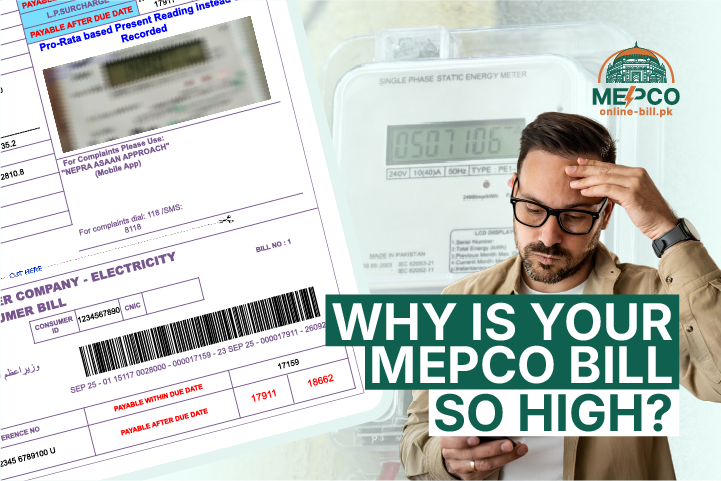
Even with all the convenient ways to check MEPCO bill paid online, sometimes payments may not reflect immediately or show errors. Understanding these common issues helps you verify MEPCO bill payment without stress. Sometimes, your electricity bill may appear higher than usual, making you wonder if an error occurred or if extra charges were applied due to high MEPCO bill issues.
1. Payment Showing “Pending” or “Not Updated”
Sometimes, after making a payment via bank, mobile app, or third-party service, your MEPCO bill payment status might still appear as “pending” or unpaid online.
This usually happens because of:
- Delay in payment processing between the bank and MEPCO.
- Transactions made during holidays or weekends.
Tip: Wait 24–48 hours and recheck your MEPCO bill paid status to confirm.
2. Delay Between Payment and Update in MEPCO System
The MEPCO system may take some time to update bill payment information, especially during high-traffic periods like month-end.
Even if your bank statement shows a successful transaction, the MEPCO bill may not immediately reflect as paid online.
3. Mistyped Reference Number Problems
A common reason why your payment doesn’t show as completed is that you entered the wrong reference number when paying or checking online.
Always double-check:
- Your 14-digit reference number from the bill.
- Any spaces or missing digits before submitting on websites or apps.
Mistakes here can make it seem like the bill is unpaid, even though your payment has gone through.
FAQs
How long does it take for MEPCO to update paid bills?
It usually takes 24–48 hours for your payment to reflect in the MEPCO system. Bank or mobile app payments may appear instantly, but the official MEPCO bill payment status could take a day or two. Always use your reference number to verify MEPCO bill payment if you don’t see an immediate update.
What if my payment was deducted, but the bill still shows unpaid?
If your payment has been deducted, but your MEPCO bill paid status check shows unpaid:
- First, confirm the transaction in your bank statement or mobile app.
- Re-enter your 14-digit reference number on the official MEPCO website.
- If the issue persists, contact the MEPCO helpline 0800-63726 to confirm the MEPCO bill has been paid manually.
Is the red “PAID” stamp visible on all MEPCO bills online?
Yes, for bills updated in the system, the red “PAID” stamp appears on official portals or verified bill-checking sites. This is the most reliable way to check the MEPCO bill paid online.
Is it safe to check my MEPCO bill status online?
Absolutely. Always use official MEPCO websites or trusted portals like emepcobill.pk. Avoid sharing bank credentials or personal information on unknown platforms. Using official portals ensures your MEPCO bill payment status remains secure while allowing you to track MEPCO bill payment conveniently.
How can I confirm MEPCO bill payment if I paid through JazzCash or Easypaisa?
After paying via JazzCash, Easypaisa, or other mobile wallets, check your transaction ID or payment confirmation. You can also re-enter your reference number on the official MEPCO website to verify MEPCO bill payment. This gives you instant proof that your MEPCO bill is cleared.
Final Words
Every MEPCO customer should regularly verify if their electricity payments are made. Knowing how to check if the MEPCO bill was paid will save you from late fees, disconnection, and also relieve unnecessary inconvenience and stress related to undisclosed financial obligations.
You can check if the MEPCO bill is paid or not in a variety of ways, including via the official MEPCO website, mobile banking apps, SMS, or simply by paying attention to your next month’s bill. Checking your MEPCO electricity bill payment, especially if done right away, is a quick, easy way to put your mind at ease!
You can use the free Online MEPCO Bill Calculator to predict your monthly charges based on units consumed. Don’t wait, check your MEPCO bill paid status today and confirm that your electricity Payment has been successfully processed!

Syed Burhan Shah Bukhari
Author
Syed Burhan Shah Bukhari combines his expertise in technology and practical problem-solving. He writes insightful guides and tips to help users manage their electricity bills efficiently. Burhan also develops tools that make online bill payments and account management simpler and more accessible. His mission is to bridge the gap between technology and everyday convenience for all MEPCO users.